
Pango Zoo - Animal Care
Studio Pango - Kids Fun preschool learning gamesEducational
4.64.00 Reviews
- Version
- 1.6.1
- Installs
- 10.00K
- Age Rating
- Everyone
Screenshots
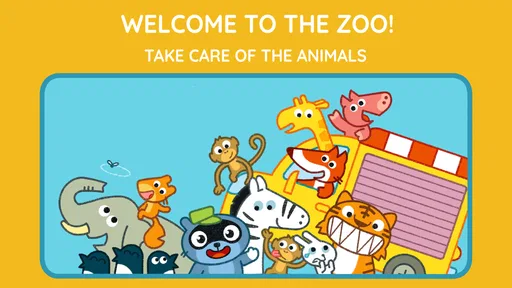
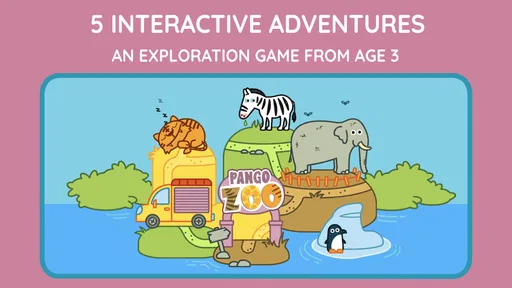
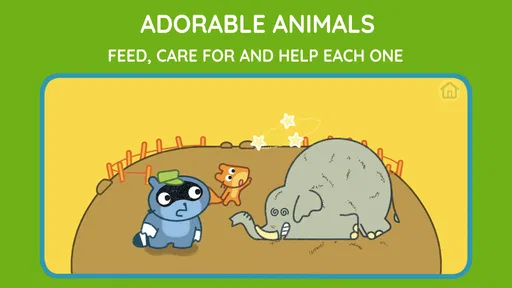
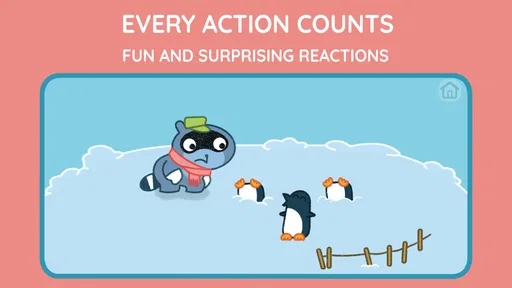
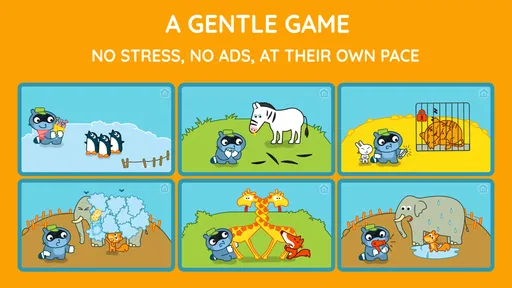
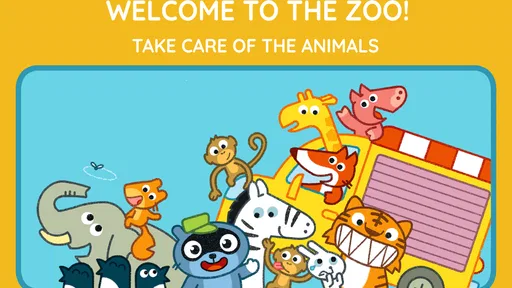
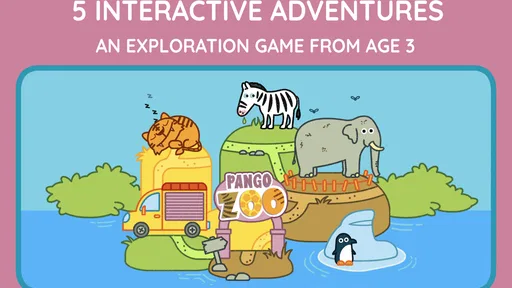
Our Review of Pango Zoo - Animal Care
 Analysis by Appyee
When I tried Pango Zoo - Animal Care, the first thing I noticed was how deliberately calm it feels. This is not an educational game that pushes a child through scores, timers, or noisy rewards. Instead, it places the child in a small animal-care world where exploring, feeding, and helping are the main activities. That focus makes it especially interesting for preschoolers who enjoy pretend play but are not ready for complicated rules.
The game belongs to the educational category and is aimed at children from three to six years old. Studio Pango - Kids Fun preschool learning games has built it around gentle interaction rather than formal lessons. In my experience, that distinction matters: a child may not feel as if they are “studying,” yet they are still practicing attention, choosing actions, observing reactions, and following simple sequences.
The central strength is its caring-play loop: the child notices an animal, works out what it needs, and responds through direct interaction. That capability gives the game a clearer purpose than a collection of unrelated mini-games. It encourages children to slow down and look at what is happening before tapping again, which is a useful habit at this age.
How the animal-care idea works in practice
The experience is built around exploration and assistance. Rather than asking a child to memorize answers, it presents animals as characters that need attention. The child’s job is to discover what can be done and then carry it out. This creates a simple cause-and-effect relationship: an action is meaningful because it helps a creature in the scene.
That approach is well suited to children who learn through imitation and pretend situations. A preschooler can understand “this animal needs help” much more naturally than an abstract instruction about responsibility. I found that the game’s value comes from the way it turns ordinary care into a small problem-solving exercise without making the problem feel like a test.
Parents should expect to sit nearby at least during the first session. A young child may understand the visual goal quickly, but the first few minutes are also about learning where to tap and how much freedom the environment allows. Once the interaction feels familiar, the child can spend more time making choices independently.
A useful way to play is to avoid immediately explaining every possible action. When a child pauses, I would first ask, “What do you think this animal needs?” That small question turns passive tapping into observation. If the child remains stuck, a short hint is more helpful than taking over the device, because the discovery is part of the learning.
The game’s gentle pace also makes it different from many preschool apps that rely on rapid repetition. There is less pressure to perform quickly, so a child can examine a scene and try again without feeling that a mistake has ruined the activity. For children who become frustrated by countdowns or loud failure sounds, this is a meaningful advantage.
At the same time, the relaxed design will not satisfy every child. A preschooler who wants constant novelty, racing, or a clear reward ladder may find the interaction too quiet. I would not choose it as the only game for a child who mainly enjoys fast arcade-style challenges. Its appeal depends on whether caring and discovery are enjoyable in their own right.
What children are really practicing
The learning here is indirect but practical. Children practice matching an action to a visible need, remembering a short sequence, and noticing whether their response changed the situation. They also get room to make choices without the adult correcting every move. Those are small skills, but they are appropriate for the intended age group.
I also see value in the emotional framing. Helping an animal gives an action a reason, which can encourage empathy more effectively than a disconnected “correct answer” screen. This does not turn the game into a complete lesson about animals or responsibility, but it gives parents a natural opening for conversation: What happened? Why did the animal need help? What should we try next?
One practical tip is to use the game as a short transition activity rather than leaving it open indefinitely. A child can explore one situation, explain what they did, and then move on to another activity. This keeps the experience purposeful and gives the parent a chance to connect the on-screen care with real-life routines such as feeding a pet, washing hands, or helping tidy up.
A realistic preschool routine
The best scenario I can imagine is a quiet period at home when a child needs something engaging but not overstimulating. For example, after returning from preschool, a child might spend a short session exploring the animals while a parent prepares a snack. The parent can check in, ask the child to describe the animal’s need, and then invite them to show what they discovered.
This works particularly well when the child is tired but still wants control over an activity. The game does not demand the same sustained concentration as a reading exercise, yet it is more purposeful than watching a video. Because the child is making decisions, the session can feel active even when the pace remains gentle.
I would also use it as a conversation starter between siblings or an adult and child. One child can suggest what to try while the other handles the device, then they can swap roles. That turns a mostly individual touch-screen activity into cooperative pretend play. The important point is not to turn the exchange into a competition; the game’s design is better suited to shared discovery than winning.
It can fit into travel or waiting-room routines as well, provided the child already knows the controls. The calm structure is less likely to create the frantic tapping that some games encourage. Still, parents should test the experience before relying on it in a situation where silence and independence are essential. A child who needs help understanding the interactions may still call for an adult.
Another useful routine is to play before introducing a real-world responsibility. After helping the virtual animals, a parent might ask the child to refill a pet’s water bowl with supervision or put away a few toys. The connection should stay light rather than becoming a reward or punishment system. The game is most effective when it supports a conversation about care, not when adults use it to pressure a child.
Why the capability matters for this age
Preschool children often understand stories and intentions before they can handle complicated written instructions. Animal care gives them a visual and emotional anchor. They can see a situation, try an action, and interpret the result without needing to read. That makes the game more accessible than educational apps built around text-heavy quizzes.
It also leaves space for the child’s own pace. Some children will explore every detail before acting, while others will try several taps immediately. Both styles can work because the experience is not centered on a single timed answer. I appreciate that flexibility, although parents looking for measurable drills in letters, numbers, or spelling should choose a more targeted learning tool.
The game is rated Everyone, which fits its preschool-friendly presentation. I would still treat the age guidance as a starting point rather than a guarantee that every three-year-old will navigate it alone. Developmental differences are large at this stage. A child with limited tablet experience may need an introduction, while an older preschooler may move through the interactions quickly and want extra discussion from an adult.
Trade-offs compared with typical preschool alternatives
Compared with alphabet, counting, or phonics apps, this game offers less direct academic practice. It will not replace a structured activity designed to teach letter sounds or number recognition. Its educational benefit comes from decision-making, observation, and caring play, so parents should judge it by those goals instead of expecting a worksheet on a screen.
Compared with animated videos, it gives the child more agency. The child is not simply receiving a story; they are choosing what to do and seeing the result. That makes it a stronger option when you want interactive screen time. The trade-off is that it requires more attention from the child and may not work as a quiet background activity.
Compared with competitive games, it is much less stressful. There is no need to chase a high score or beat another player, which can make it easier for a sensitive child to enjoy. The downside is that children who are motivated by visible progression may find the lack of competition less exciting. I would pair it with other games rather than expecting one title to cover every kind of play.
The purchase price is $5.99, so it is worth considering how often your child enjoys this kind of experience. I see the strongest value for families who prefer a focused, self-contained activity and plan to return to it during calm routines. If your child rarely enjoys slow exploration, a different purchase may provide better value even if this game is well made for its audience.
The game has an average rating of 4.6 from around 95 ratings, and it has reached over 10 thousand installs. Those figures suggest that it has found a clear audience, but they should not replace watching how your own child responds. Preschool preferences vary sharply, especially between children who like nurturing pretend play and those who want puzzles, music, or fast movement.
Its release date was December 18, 2014, and the current version is 1.6.1. That history is not automatically a problem, but it does shape my expectations. I would approach it as a focused older preschool title rather than a constantly expanding platform. Families who want frequent new content, modern social features, or a large progression system may prefer a newer alternative.
Device compatibility also deserves a quick check before buying. The listed minimum operating system is 7.1, which makes the requirement relatively approachable for compatible older devices. Even so, I would install it on the device the child will actually use and confirm that the touch controls feel comfortable. A small screen or an unreliable touch panel can make gentle exploration frustrating.
Small decisions that improve the experience
First, let the child investigate before giving instructions. The game’s caring premise works best when the child feels responsible for noticing the need. Second, keep the volume at a comfortable level and use the session as a calm activity, not as a reward that must be earned. Third, ask one follow-up question after play instead of turning the session into an interrogation.
Another useful trade-off is deciding whether the child should play alone. Independent use can build confidence, but shared play reveals much more about the child’s reasoning. If a child taps randomly, an adult can model looking carefully without solving the situation. If the child explains each choice, the adult can extend the conversation without interrupting the flow.
I would also avoid comparing a child’s pace with another child’s. There is no benefit in rushing through a caring game. A slower child may be observing more closely, while a faster child may be experimenting. The best outcome is not finishing quickly; it is helping the child connect an action with a consequence and talk about what they noticed.
Who will gain the most from Pango Zoo
I recommend this game most to families looking for calm, interactive pretend play for a preschooler. It is a particularly good fit for children who enjoy animals, like helping characters, and prefer exploration to competition. It can also suit parents who want screen time that naturally leads into questions about empathy, routines, and responsibility.
It is less suitable for a child who needs explicit early-academic instruction. If your immediate goal is practicing the alphabet, counting, handwriting, or a second language, a specialized educational app will be a better choice. It is also not the strongest option for children who expect a long campaign, frequent unlocks, or energetic multiplayer action.
Parents should think of it as a guided play tool rather than a digital babysitter. The game can hold a child’s attention, but its richest value appears when an adult occasionally asks what the child is doing and why. That involvement does not need to be constant. A few thoughtful prompts can turn a simple interaction into a more meaningful learning moment.
For me, the deciding question is whether the child enjoys the idea of caring for virtual animals. If the answer is yes, the focused design gives the game a clear identity and makes it easy to use in short, peaceful sessions. If the answer is no, the educational label alone will not make it compelling. The game succeeds because of its emotional theme, not because it tries to cover every preschool subject.
Overall, I found Pango Zoo - Animal Care most convincing as a gentle introduction to cause and effect through animal care. It does not try to be a complete curriculum, and that is both its limitation and its strength. Children who want quiet discovery get an experience with purpose, while parents receive natural opportunities to discuss helping and noticing needs.
My final recommendation is to choose it for a child who responds well to nurturing stories and hands-on exploration, especially when you can occasionally play alongside them. I would skip it in favor of a more academic or action-focused alternative if your child needs direct skill drills or constant challenge. For the right preschooler, though, the caring interaction is more than a theme: it is the reason the game feels genuinely useful.
Verdict
Strengths of Pango Zoo - Animal Care
- Simple controls make it suitable for preschool children.
- Animal-care tasks encourage empathy and gentle interaction.
- Colorful illustrations and animations keep play engaging.
- Short activities work well for quick play sessions.
- No reading skills are needed to understand the main tasks.
Limitations of Pango Zoo - Animal Care
- Some activities may feel repetitive after several play sessions.
- The app offers limited challenge for older children.
- Parents may want more detailed progress or learning reports.
- Certain content may require an in-app purchase to unlock.
- Gameplay is designed for younger users and may feel too basic for adults.
Other Releases by Studio Pango - Kids Fun preschool learning games
View All
Pango Kids: Learning Games +3
Educational4.1

Pango Build & Explore City
Educational3.7

Pango Sheep: Count & Play
Educational4.3

Pango Playground for kids
Educational4.0
Similar Picks in This Category
View All
Little Panda Policeman
BabyBus4.0

Monster Trucks Game for Kids 2
Raz Games4.1

Little Panda's Chinese Recipes
BabyBus4.4

Little Panda's Restaurant
BabyBus4.4

Little Panda's Ice Cream Games
BabyBus4.3

Baby Panda Care
BabyBus3.8
Frequently Asked Questions
What is Pango Zoo - Animal Care about?
Pango Zoo - Animal Care is an interactive children’s game focused on looking after animals in a friendly zoo environment. Players can feed animals, clean their habitats, provide care, and explore simple activities designed around discovery and pretend play. The game encourages observation, empathy, and responsibility without relying on complicated controls or competitive pressure, making it suitable for younger children who enjoy animals and creative play.
Is Pango Zoo - Animal Care suitable for young children?
Yes, the game is designed primarily for young children and uses colorful visuals, simple interactions, and approachable activities that are easy to understand. There is no need for advanced reading or gaming experience to begin playing. Parents should still check the recommended age shown on the relevant app store, since children develop at different rates and some activities may be more enjoyable with occasional adult guidance.
Does Pango Zoo - Animal Care require an internet connection?
The main activities in Pango Zoo - Animal Care are generally intended to be accessible after the app has been installed, which makes it convenient for travel or offline play. However, an internet connection may still be needed for the initial download, updates, restoring purchases, or accessing store-related features. Availability can vary by device and version, so it is sensible to test the game offline before relying on it away from home.
Are there advertisements or in-app purchases in Pango Zoo - Animal Care?
The experience is presented as a child-friendly game rather than an advertisement-driven social platform, but the exact purchase model can depend on the version, operating system, region, and how the app is distributed. Before downloading, parents should review the Google Play or App Store listing for current pricing and purchase information. Device-level parental controls are also recommended to prevent accidental purchases when children play independently.
What devices support Pango Zoo - Animal Care?
Pango Zoo - Animal Care is available for supported Android and iOS devices, but compatibility depends on the operating system version, available storage, and hardware capabilities. Older phones and tablets may not provide the same performance as newer models, particularly during animations or scene transitions. Checking the official store listing before installation is the safest way to confirm whether your specific device meets the current requirements.
Play our best games!


